Control Module: discrete-valve
A recipe-driven binary on/off valve. Use this template whenever a process needs a two-position valve (open or closed) driven by a digital output and verified against a single digital feedback input.
Where to find it
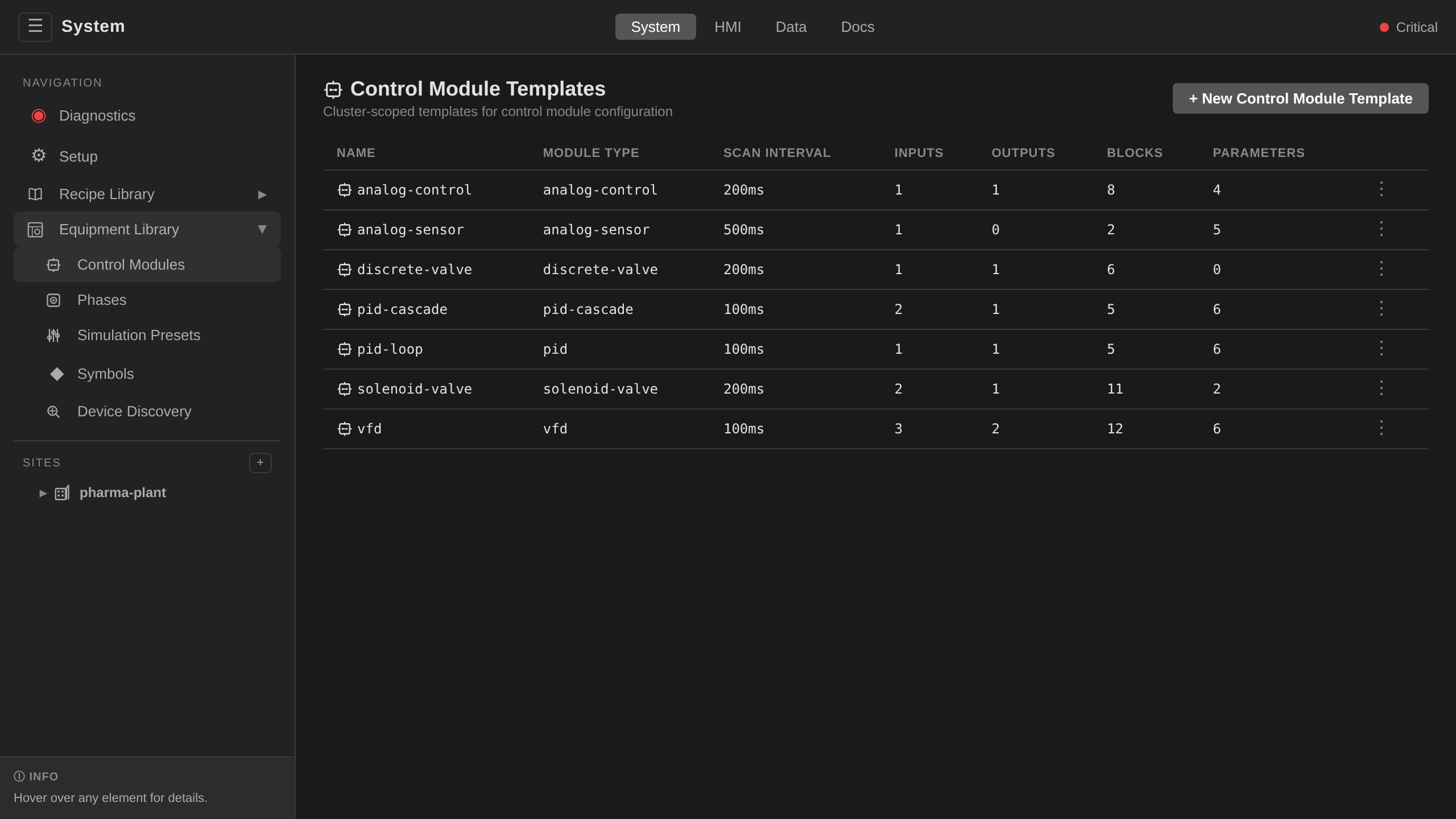
System endpoint → Equipment Library → Control Modules tab → select discrete-valve.
What you see on the faceplate
When this template is instantiated on a Unit (for example, as r1-wfi-valve),
clicking its symbol on the unit detail view opens a faceplate with:
| Element | Meaning |
|---|---|
| CMD | Current open/close command (writable) |
| FB | Valve position feedback (read-only) |
| MISMATCH | Driven position not confirmed by feedback (device fault) |
| CMD_BLOCKED | The device interlock is defeating a contrary standing command |
| ILCK | Device interlock active — the output is being forced to its safe state |
The faceplate also shows ISA-88 state and mode, and any ISA-88 commands valid for the current state (Start, Stop, etc.). These apply to the surrounding equipment module or unit. The valve itself carries no ISA-88 commands.
Tags
The template declares deviceClass: valve and a role on each tag
(ADR 0016). The HMI renders
from these declarations and never infers meaning from moduleType or
tag names. The FB tag's role: state makes its
value the unit card's prominent status word and the faceplate STATE row.
| Tag | Type | Access | Role | Description |
|---|---|---|---|---|
CMD |
Boolean | read/write | command |
Open (true) or close (false) command. Recipe logic or operator writes this. |
FB |
Boolean | read | state |
Valve position feedback from the field. Shown as the card's prominent status word. |
MISMATCH |
Boolean | read | alarm |
true when the position the block drove and FB disagree after the scan cycle. Measured against the driven value (CMD plays no part), so an interlock refusing a command is not reported as a device fault (ADR 0054). Typically wired into an Alarm CRD with exceptionAction: Hold. |
CMD_BLOCKED |
Boolean | read | interlock |
true while the device interlock is forcing the safe value and CMD disagrees with it — a command the plant is actively refusing. Alarm it without an exceptionAction (why). Labels: Blocked/Clear. |
ILCK |
Boolean | read | interlock |
true while the device interlock is forcing the output to its safe state. A trip that defeats a command also raises CMD_BLOCKED, which is the rule to alarm. Reserve a TagTrue: ILCK rule for interlocks whose trip is abnormal in itself (why). |
ILCK_BYPASSED |
Boolean | read | interlock |
true while the device interlock is bypassed by a gated, time-boxed override (ADR 0010). Labels: Bypassed/Armed. |
Parameters
| Parameter | Default | Meaning |
|---|---|---|
interlockAddress |
(empty — interlock disabled) | Device address of a boolean trip signal, read by the valve's output block every scan. While the signal is tripped, the output is forced to safeValue. |
interlockInvert |
false |
Trip while the signal is false (with the invert off, true trips). |
safeValue |
(empty — de-energize/close) | Output value forced while interlocked. Set true only for energize-to-safe valves (e.g. a vent that must open on trip). |
Setting interlockAddress on an instance is all it takes to enable the
device interlock. See Alarms and Interlocks → Pattern 0
and the shipped mt1-outlet-valve example (interlocked against the inlet
valve's feedback).
Faceplate labels
The labels shown on the
faceplate come from the per-tag trueLabel / falseLabel fields in the
template:
| Tag | trueLabel |
falseLabel |
|---|---|---|
CMD |
Open |
Close |
FB |
Opened |
Closed |
CMD_BLOCKED |
Blocked |
Clear |
ILCK |
Tripped |
Clear |
Because FB carries role: state, the card and faceplate read the
actual position (Opened/Closed). The CMD verbs Open/Close
belong to the command alone. This designation supersedes the former
state_tag parameter.
The scan interval is fixed at 200 ms (spec.scanInterval).
How it works
Each scan cycle, the runtime:
- Evaluates the device interlock (if
interlockAddressis set): while the trip signal is active, or unreadable (which fails safe), the digital output is forced tosafeValueandILCKreadstrue. - Otherwise writes the current
CMDvalue to the digital output (state). - Reads the digital input (
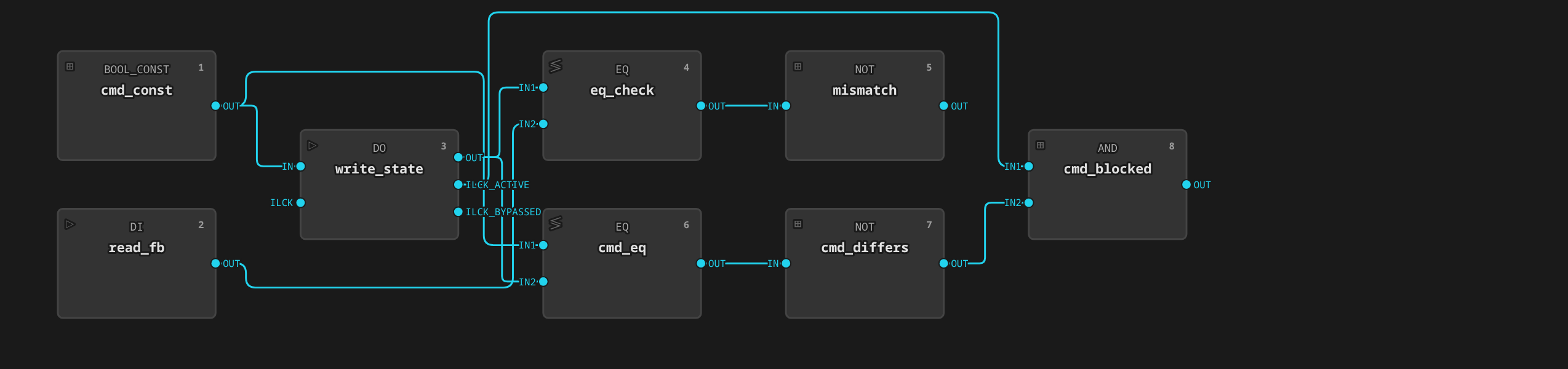
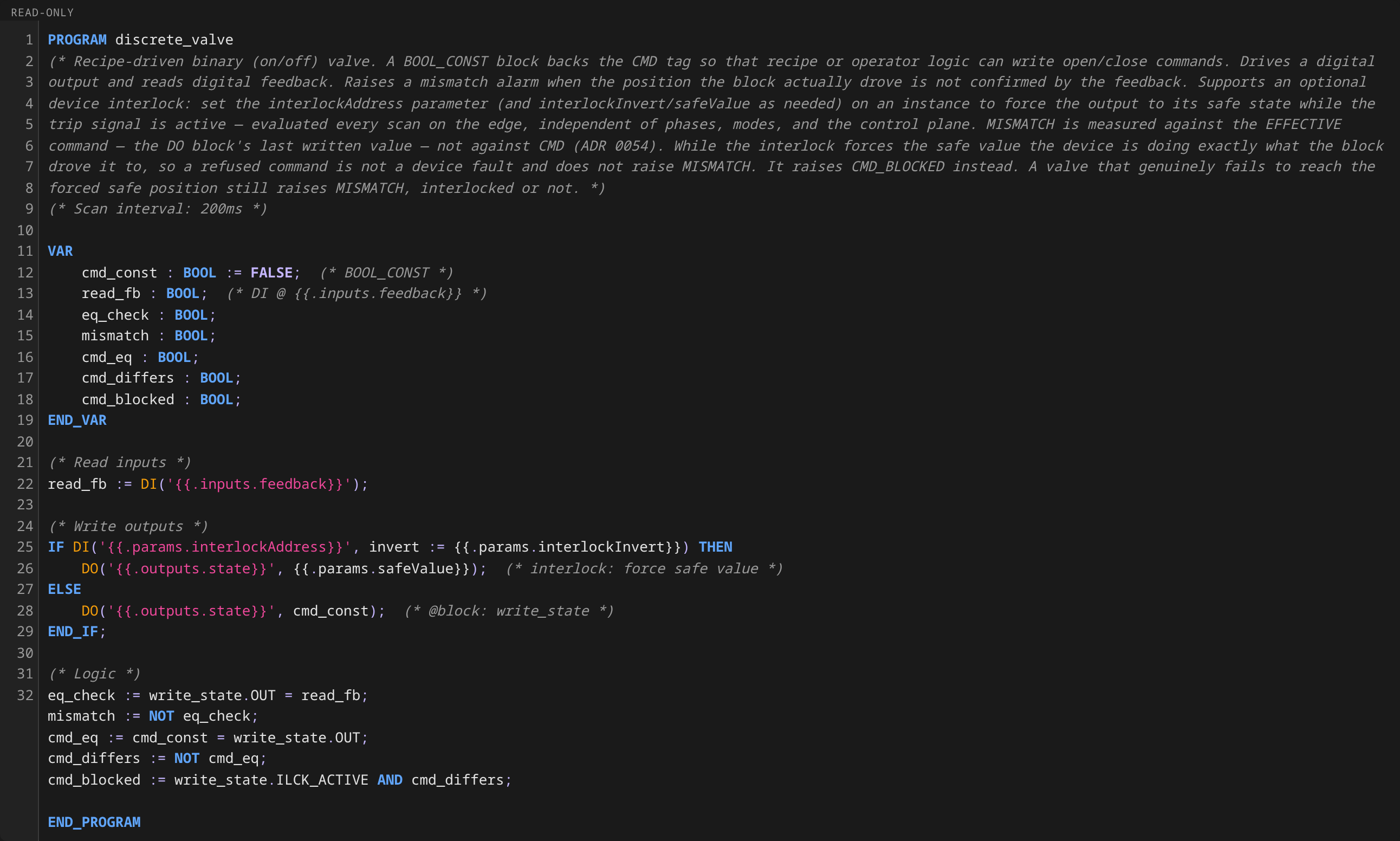
feedback) intoFB. - Compares the value it drove in step 1/2 against
FB— if they disagree, raisesMISMATCH. A tripped interlock holding the valve against the recipe's command does not show up here: the valve went exactly where it was driven. That case raisesCMD_BLOCKEDinstead (ADR 0054). A valve that fails to reach the forced safe position is a genuine fault and does raiseMISMATCH.
MISMATCH is a point-in-time comparison with no debounce. For valves
with slow travel times, wire MISMATCH into an AlarmDefinition with
condition.type: TagTrue and a debounceSeconds window matching the
valve's worst-case travel time. See Alarms and
Interlocks
for the full pattern, and examples/riverbend/25-alarms.yaml for a working
set of MISMATCH alarms covering every discrete valve in the reference plant.
Reference instances
The reference plant uses discrete-valve for every binary valve in the
process:
| Unit | Instance | Purpose |
|---|---|---|
| reactor-1 | r1-wfi-valve |
WFI supply to the reactor |
| reactor-1 | r1-n2-valve |
Nitrogen blanket supply |
| reactor-1 | r1-vent-valve |
Reactor headspace vent |
| reactor-1 | r1-sample-valve |
Product sample point |
| mix-tank-1 | mt1-inlet-valve |
Raw material inlet |
| mix-tank-1 | mt1-outlet-valve |
Transfer to reactor |
| mix-tank-1 | mt1-wfi-valve |
WFI supply to the tank |
| filter-dryer-1 | fd1-feed-valve |
Slurry feed from reactor |
| filter-dryer-1 | fd1-filtrate-valve |
Filtrate drain to waste |
| filter-dryer-1 | fd1-wash-valve |
Wash solvent inlet |
| filter-dryer-1 | fd1-vent-valve |
Vent / vacuum break |
Try it
From the HMI:
- Process → riverbend → pharma-area → sim-cell → reactor-1
- Click the r1-wfi-valve symbol on the unit detail view
- On the faceplate, toggle CMD — the
FBvalue should flip within one scan cycle (the IOModule's inline simulation writes the feedback equal to the command) - To see
MISMATCHtrip, edit the IOModule'sspec.simulationto introduce a feedback fault and watch the tag turntrue