Cloud-Native DCS
Cloud-Native DCS is a Distributed Control System, the software that executes recipes and control logic to run a batch process plant. What makes it different is the substrate: recipes, batches, units, alarms, and audit records are all Kubernetes Custom Resources, reconciled by operators in the cluster. A conventional DCS holds that state inside a proprietary controller.
Operators, engineers, and analysts interact with the system through a role-aligned browser Web UI, with a CLI and REST API for automation.
Every example in these docs runs against a fully simulated batch plant (no physical hardware required), so you can drive real recipes against realistic process dynamics from the browser.
This site is the engineer-facing documentation
It's written for the people who run, configure, and operate the system: automation, platform, and software engineers. If you're looking at Cloud-Native DCS from a buyer, executive, or diligence angle, start at cndcs.io for the value-prop and plain-English view.
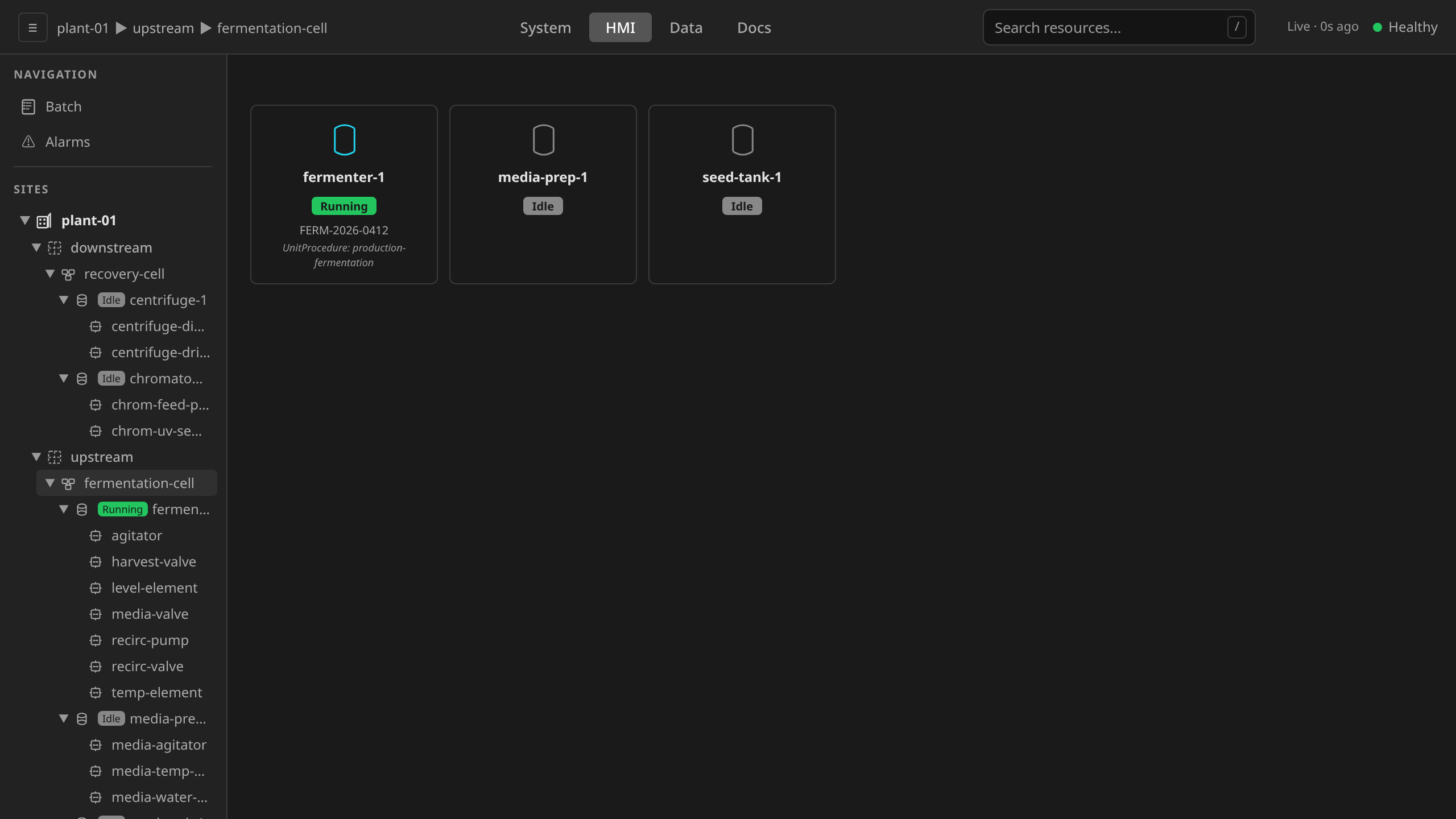
The Web UI in one picture
The DCS Gateway serves three role-aligned endpoints. Each one matches a different ISA-88 control-activity domain, and the screenshots on this site always call out which endpoint you're looking at:
| Endpoint | Purpose | Who uses it |
|---|---|---|
/system |
Engineering: configuration, recipes, equipment library, diagnostics | Admins, engineers |
/hmi |
Operations: live process display, batch execution, alarms | Operators, supervisors |
/data |
Production information: trends, batch records, audit trail, alarm history | Everyone |
"HMI" (Human-Machine Interface) refers specifically to the /hmi
operations endpoint. It does not name the Web UI as a whole. See
Web UI Access and Authentication for endpoint routing,
roles, and login.
Related Documentation
The headings below mirror the navigation sections on the left.
Getting Started
- Quickstart — run a real batch on the simulated reference plant in five steps
- Terminology — ISA-88 terms used throughout the Web UI and docs
Batch Operations
- Equipment Operation — operate equipment from the HMI: faceplates, mode switching, live monitoring
- Batch Execution — create, monitor, and control batches
- Alarm Management — ISA-18.2 alarm lifecycle
- Recipes — author, approve, and release master recipes
- Phases — build procedural logic with Sequential Function Charts
- Production Records Interface — trends, audit trail, batch records
Explanation and Libraries
- Architecture — Kubernetes operators, CRDs, state machine, and unit runtime
- Libraries — control modules, phases, recipes, and inline simulation configs you can study and adapt
Platform Administration
- Deploy Your Own — stand up a Cloud-Native DCS instance on your own cluster
- Device Enrollment — register a physical controller (an industrial PC or other edge device) with the control system
- Security Hardening — production-readiness checklist
- Troubleshooting — common issues and fixes
Integration and Reference
- System Engineering Interface — engineering workspace for configuration and diagnostics
- REST API and CLI — programmatic access
- High Availability — failure modes and recovery
Standards and Compliance
Cloud-Native DCS is designed to support pharmaceutical and other regulated manufacturing environments. Traceability matrices map system features to ISA-88, ISA-95, IEC 61131-3, IEC 62443, and 21 CFR Part 11.
Project
- Project Info — contributing, source repository, security disclosure, licensing